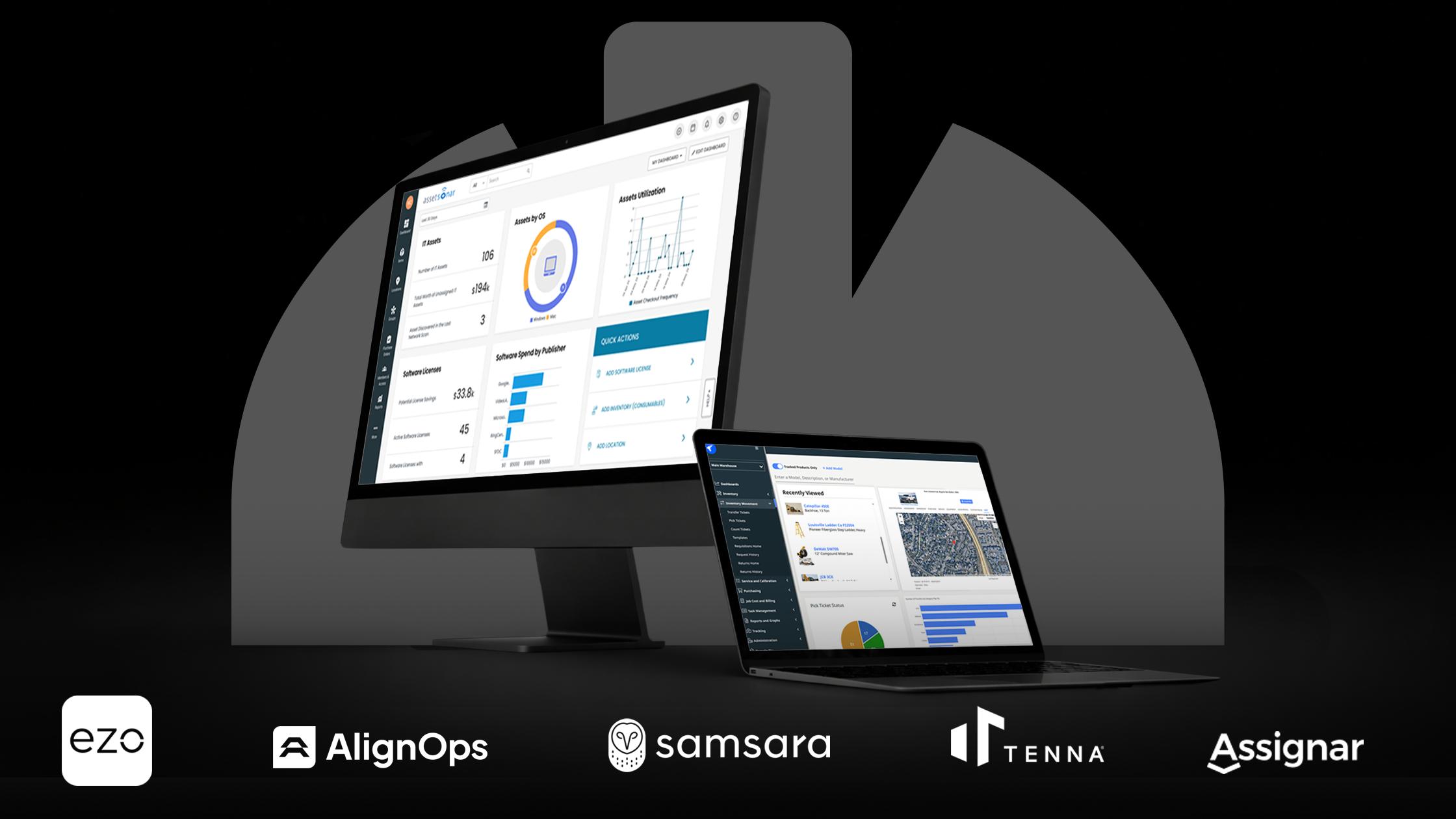
Missing tools and idle machines aren’t just annoying; they cause massive project delays that eat into your profits. On average, construction workers lose nearly an hour every week just searching for gear, which adds up to a full workweek of wasted time every year. Modern construction asset management software provides real-time tracking that helps you keep your projects on schedule and under budget. By moving your data to the cloud, you can see exactly where every tool is located, who is using it, and when it needs service, all from your smartphone or tablet.
What construction asset management software does and why it matters
Construction asset management software is a digital tool designed to track the entire lifecycle of your equipment. It can manage everything from small power drills to massive excavators by monitoring their location, maintenance needs, and current assignments. Instead of searching through paper logs or old emails, your team can use a single dashboard to see what you own and where it is at any given moment.
Common pain points solved
Using this software helps you fix some of the biggest headaches in the construction industry:
- Eliminating ghost assets and redundant rentals: It’s common for companies to pay insurance or taxes on ghost assets that were actually lost or sold years ago. The software also shows you exactly what equipment is sitting idle, so you can move it to a new site instead of renting another machine.
- Reducing theft through geofencing: Theft is a major problem on job sites. You can set up geofences, invisible digital boundaries, around your site. If a piece of equipment leaves that area at 2:00 a.m., the software sends an instant alert to your phone.
- Preventing breakdowns with scheduling: Unexpected repairs can stop a project in its tracks. Automated maintenance scheduling ensures your machines are serviced based on their actual engine hours or a set calendar, preventing costly emergency breakdowns.
Core functions and workflow benefits
To keep your operations running smoothly, these tools rely on a few key functions:
- GPS and Bluetooth tracking: High-value machines use GPS for outdoor tracking, while smaller tools use Bluetooth tags so you can find them using a mobile app on your phone.
- Check-in/Check-out digital logs: Much like a library, workers scan a tool when they take it and scan it back in when they are done. This creates clear accountability and stops tools from simply disappearing.
- Maintenance and repair history: The software keeps a digital folder for every asset. You can see every oil change, tire replacement, and repair ever performed, which helps you decide when it is finally time to sell or trade in the machine.
The 10 best construction asset management software options
1. Tenna — Best for heavy civil and mixed fleet operations
- CEO: Austin Conti
- Founded: 2015
Tenna is a construction-first platform designed to handle the complex needs of mixed fleets. It uses a variety of hardware, including GPS, cellular, and Bluetooth (BLE) trackers, to provide a single view of everything from massive yellow iron to small power tools. Connecting the field, shop, and office on one platform helps contractors make better decisions about whether to move, buy, or rent equipment.
Key features:
- Mixed-fleet visibility: Track heavy equipment, vehicles, mid-sized gear, and small tools in one dashboard.
- Automated maintenance logs: Schedule preventative maintenance and track repairs to reduce costly downtime.
- Job site utilization reports: See real-time data on how often your assets are actually being used versus sitting idle.
Pros and cons:
- Pros: Built specifically for construction by people with over 100 years of industry experience; offers a wide range of rugged tracking hardware.
- Cons: Implementation can be a major project for very large fleets; pricing is generally customized and requires a consultation.
2. Hilti ON!Track — Best for tool-heavy contractors and warehouse control
- CEO: Jahangir Doongaji
- Founded: 1941 (Software launched 2015)
While Hilti is famous for its yellow and red power tools, its ON!Track software is manufacturer-independent, meaning it can track any brand of equipment you own. This system excels at managing small assets that often go missing, such as drills, ladders, and saws. It uses a combination of rugged RFID tags, Bluetooth smart tags, and a mobile app to give you total visibility from the warehouse to the job site.
Key features:
- Rugged hardware tags: Hilti offers some of the toughest tags in the industry, including AI T380 smart tags that can withstand extreme heat, dust, and impact.
- Automated inventory audits: Managers can use a dedicated scanner or the mobile app to digitally sweep a room or vehicle, instantly identifying every tagged item nearby.
- Employee certification tracking: The system also tracks worker safety certifications and training records, sending alerts before they expire.
Pros and cons:
- Pros: Deep integration with Hilti’s Fleet Management program; allows for unlimited users on a single subscription; recently added automated service checklists in 2026.
- Cons: The cost of tagging thousands of small items can be high; the RFID scanners can sometimes struggle with metal-on-metal interference.
3. Samsara — Best for real-time telematics and driver safety
- CEO: Sanjit Biswas
- Founded: 2015
Samsara is a powerhouse in the Internet of Things (IoT) space, providing an all-in-one platform that connects vehicles, heavy equipment, and worksites. It is particularly strong for contractors who operate large fleets of trucks and yellow iron. By using high-speed telematics, Samsara gives you a live view of your operations, including where your drivers are, how they are driving, and exactly how many hours your machines have been running.
Key features:
- AI dash cams: These cameras use artificial intelligence to detect distracted driving or tailgating, helping to coach drivers and reduce insurance costs.
- Real-time GPS: Get location updates every second, allowing for precise dispatching and theft recovery.
- Preventative maintenance: Automatically pulls engine diagnostics and fault codes, triggering maintenance alerts based on actual engine hours rather than just a calendar date.
Pros and cons:
- Pros: Extremely user-friendly interface that feels like a modern app; robust safety features that can significantly reduce accidents; now offers 24/7 support.
- Cons: The high-end features come with a premium price; generally requires a three-year contract; can be overkill for companies that only need to track small tools.
4. ToolWatch (now part of AlignOps) — Best for enterprise-level warehouse and yard management
- CEO: Jay Martin
- Founded: 1991
ToolWatch is one of the most established names in the industry and has recently rebranded its broader platform to AlignOps. It focuses on the entire warehouse-to-job-site lifecycle, making it a favorite among large mechanical, electrical, and general contractors. It is built to handle complex logistics, ensuring that the right tools and materials are always ready for the field while keeping the back office perfectly in sync with the yard.
Key features:
- ERP integrations: ToolWatch integrates deeply with major construction accounting and project management software such as Procore, Sage, and Viewpoint Vista.
- Job costing: Automatically assign tool usage costs to specific projects, enabling more accurate billing and profit tracking.
- Material consumables tracking: Also tracks consumables like saw blades, PPE, and drill bits to ensure you never run out of essential supplies mid-project.
Pros and cons:
- Pros: Powerful reporting that satisfies even the most demanding CFO; over 30 years of industry experience; includes a new field requisition function for one-touch tool requests.
- Cons: The software is very deep, which can lead to a steeper learning curve for field workers; the older desktop feel in some sections can be less intuitive than newer mobile-first apps.
5. EZO — Best all-around for small to mid-sized contractors
- CEO: Syed Ali
- Founded: 2011
EZO is a highly flexible, cloud-based platform that balances heavy equipment tracking with small tool management. It is designed to be a smart digital planner for your gear, ensuring nothing slips through the cracks. While it serves many industries, it has become a favorite for mid-sized construction teams because it is easy to implement and does not require a specialized IT staff to maintain.
Key features:
- QR code and barcode scanning: Use the mobile app on any smartphone to scan tags for instant check-ins, check-outs, and inventory audits.
- Purchase order management: Create POs, track vendor history, and automatically update stock levels the moment new items are received.
- Mobile-first check-ins: Field workers can reserve equipment or report issues directly from their phones, which feeds into a central maintenance calendar.
Pros and cons:
- Pros: Very affordable compared to enterprise systems; includes built-in CMMS features for proactive maintenance; most teams can get up and running in just a few days.
- Cons: Does not offer the same deep, engine-level telematics as dedicated fleet software; scan updates can sometimes lag when processing a massive volume of items at once.
6. Assignar — Best for compliance and equipment scheduling
- CEO: Sean McCreanor
- Founded: 2014
Assignar is an operations platform built specifically for self-performing contractors who need to connect their field to finance workflows. It focuses on the bridge between your equipment and the people who operate it. By consolidating scheduling, worker certifications, and machine maintenance into a single cloud-based system, it helps managers make data-driven decisions that keep projects on time and compliant with safety regulations.
Key features:
- Resource scheduling: Uses a drag-and-drop calendar to match crews with equipment based on availability and location.
- Digital forms and compliance: Replace paper logbooks with digital pre-start inspections and safety forms that crews must complete before starting a machine.
- Certification alerts: The system keeps a digital file for every worker and machine, sending automatic alerts before licenses or service dates expire.
Pros and cons:
- Pros: Excellent for safety and risk mitigation; the “Insights” reporting tool offers incredible visibility into worker and machine utilization.
- Cons: The mobile app can be glitchy and difficult to use in areas with poor cellular reception; the initial setup and data import can be time-consuming for smaller teams.
7. Procore (Asset Module) — Best for teams already using the Procore ecosystem
- CEO: Ajei Gopal
- Founded: 2002
Procore is the giant of construction project management, and its Asset Module is built to provide a unified view of your project’s health. Instead of using a separate app, you can track equipment directly within the same platform where you manage your blueprints and budgets. This is a powerful choice for general contractors who want their equipment data to sit right alongside their project documents, creating a single source of truth.
Key features:
- Direct link to RFIs and submittals: If a piece of equipment is mentioned in a technical question (RFI) or a submittal, you can link the asset record directly to that document for better tracking.
- Integrated daily logs: Field superintendents can pull equipment usage data straight into their daily reports, making it easy to track how many hours a machine worked on a specific day.
- Real-time telematics sync: As of 2026, Procore has expanded its next-gen equipment features to sync live data from major brands like Caterpillar, John Deere, and United Rentals.
Pros and cons:
- Pros: Eliminates data silos by keeping everything in one place; excellent mobile app for field updates; allows for unlimited users once you have a company license.
- Cons: The asset features are not as deep as standalone software (like Tenna); it can be a very expensive investment if you aren’t already using Procore for project management.
8. Asset Panda — Best for custom workflows and flexible tracking
- CEO: Rex Kurzius
- Founded: 2012
Asset Panda is one of the most configurable platforms on the market. It is built on the idea that the software should adapt to your business, not the other way around. For construction teams with unique naming conventions or highly specific maintenance needs, Asset Panda offers a blank canvas to build your own fields, forms, and workflows without coding.
Key features:
- Customizable fields and forms: You can track anything from the engine displacement of a crane to the warranty expiration of a laptop, with fields that you define yourself.
- Role-based permissions: Limit what different teams can see or do based on their job site or department, ensuring that data stays clean and secure.
- Full Mobile Audit Mode: The mobile app includes a “Mobile Audit” feature that works entirely offline, allowing crew chiefs to scan tools at remote sites without cell service and sync the data later.
Pros and cons:
- Pros: Highly adaptable to any niche construction workflow; includes unlimited users on most plans; robust mobile barcode and QR scanning.
- Cons: The initial manual setup is time-consuming because you have to build the system from scratch; it lacks real-time GPS tracking, relying instead on location stamps recorded when a tool is scanned.
9. Teletrac Navman — Best for maintenance-first fleet managers
- CEO: Alain Samaha
- Founded: 1988
Teletrac Navman is a veteran in the telematics space, known for providing high-performance hardware and deep, engine-level data for heavy machinery. Their platform, TN360, uses artificial intelligence to turn raw data from your fleet into actionable insights. It is a maintenance-first choice because it focuses heavily on machine health, helping fleet managers extend equipment life through rigorous monitoring and predictive alerts.
Key features:
- Solar-powered trackers: Perfect for non-powered assets like trailers or storage containers, these rugged trackers provide location updates for years without requiring a battery change.
- Idle-time reports: Identify exactly which machines are burning fuel without doing work, allowing you to coach operators and reduce unnecessary engine wear.
- Fuel tax reporting (IFTA): Automatically capture the mileage and fuel data required for International Fuel Tax Agreement reporting, saving your back office hours of manual paperwork.
Pros and cons:
- Pros: Extremely reliable hardware that can survive the toughest job sites; excellent for monitoring yellow iron and heavy transport; AI-driven dashboards simplify complex data.
- Cons: Pricing is often opaque and requires a custom quote; the website can be difficult to navigate for those looking for quick answers.
10. Clue — Best for data-driven equipment operations and mixed-telematics
- CEO: Oded Ran
- Founded: 2019
Clue is a modern platform built specifically to solve the “too many logins” problem. Most large contractors have a mix of Caterpillar, Komatsu, and John Deere equipment, each with its own tracking portal. Clue aggregates data from over 70 different telematics, GPS, and ERP systems into a single pane of glass. This allows operations managers to see their entire mixed fleet in one place without jumping between different tabs and apps.
Key features:
- Cross-brand telematics integration: Use the AEMP 2.0 (ISO 15143-3) standard to pull data from all major OEMs into a single unified map.
- Idle-time reduction: Clue’s AI identifies “excessive idle” events across the whole fleet, flagging specific machines that are costing the company money in wasted fuel and depreciation.
- One-click work orders: When the system detects an engine fault code or a failed inspection, you can trigger a digital work order with a single click, sending all machine details directly to your mechanics.
Pros and cons:
- Pros: Solves the massive headache of managing mixed-brand fleets; highly intuitive mobile app for field crews; includes built-in AI insights that point out cost anomalies.
- Cons: As a newer player in the market, it may lack some of the deep legacy warehouse features found in older systems, such as ToolWatch.
How to choose the best asset management software for your business
Selecting the right platform requires finding a tool that fits your specific daily operations without adding unnecessary work for your team. Here are the three most important factors to consider before you sign a contract.
Feature fit: Map your assets
The first step is to look at exactly what you own. If your business focuses on 1,000 small tools like drills, saws, and ladders, you need a system that excels at QR code or Bluetooth scanning for quick check-ins. However, if you manage a fleet of 50 excavators and dozers, your priority should be high-end GPS and telematics that can pull engine hours and fuel data. Trying to use a heavy equipment tracker for a screwdriver, or a simple barcode app for a crane, will only lead to frustration.
Scalability and integrations
Your asset data should not live on a digital island. The best software choice is one that “plays nice” with the tools you already use every day. Ensure the platform offers built-in integrations with your accounting software, such as Sage or Viewpoint, as well as with project management suites like Procore. When your equipment data flows automatically into your job costing and daily logs, you eliminate double entry and ensure your back office and field are always looking at the same numbers.
Ease of use and onboarding
Even the most powerful software is worthless if your crew refuses to use it. If a mobile app is too slow, confusing, or requires 20 clicks just to scan a tool, your field team will eventually stop using it. Look for a clean, intuitive interface that works well even in low-connectivity areas. High user adoption is the only way to get a real return on your investment, so consider running a small pilot program with one or two tech-savvy foremen to see how they handle the software before rolling it out to the entire company.
Bottom line
Switching from manual spreadsheets to a dedicated asset management tool is one of the smartest moves a construction business can make. It moves your data out of fragile files and into a secure, real-time system that everyone can access. This transition does more than just stop tools from disappearing; it provides the peace of mind and clear data you need to grow your business with confidence. When you know exactly where your assets are and that they are properly maintained, you can focus on what really matters: building high-quality projects on time and under budget.
Want to stay on the cutting edge of construction technology? Subscribe to our newsletter today to get the latest software reviews, tech deep-dives, and AEC insights delivered straight to your inbox.
FAQs: construction asset management software
Is this software suitable for small contractors?
Yes, it is. Many people think asset tracking is only for massive fleets, but small contractors often have the most to lose from missing tools. Tools like EZO and Asset Panda offer entry-level tiers that are affordable for small teams. Using these tools early on helps you build a solid foundation so you don’t have to fix a spreadsheet mess later as your business grows.
Do I need experience to use it?
You do not need to be a tech expert to use these platforms. Most modern software is designed with a field-first approach, meaning the mobile apps are as easy to use as any social media or banking app. While your office admins might need a few hours of training to set up the initial database and reports, your field crew can usually learn how to scan and check out tools in just a few minutes.
Does it include mobile access?
Mobile access is a standard feature for all top-tier software in 2026. Because construction happens on the job site and not behind a desk, these tools are built to work on smartphones and tablets. Most even include offline modes, allowing your team to scan equipment in remote areas or basements with no cell service and sync the data once they are back in range.