
Choosing the best BIM software is critical when projects run on tight coordination and slim margins. For contractors, BIM supports clash detection, accurate quantities, and smoother trade collaboration—reducing rework and RFIs. This guide breaks down the top BIM platforms and helps you find the best fit for your workflow.
What does BIM software do?
Building Information Modeling (BIM) software creates intelligent 3D models that include geometry and embedded data. That data may include materials, system specifications, quantities, scheduling information, and coordination notes. Instead of managing isolated drawings and spreadsheets, teams work from a shared digital model.
BIM addresses several construction pain points:
First, it helps to prevent coordination conflicts. You can review the structural, mechanical, electrical, and plumbing systems together before installation, reducing field clashes and change orders.
Second, it makes quantity takeoffs easier. You can extract material counts directly from the model, which in turn reduces manual errors and mistakes when pricing out jobs.
Third, it supports scheduling and sequencing; when you tie it into project timelines, the BIM models can give you a good idea of how construction will actually progress, helping your team spot potential bottlenecks.
The result is greater predictability, less room for surprises, and clearer communication with owners and subcontractors. For big, complex commercial, healthcare, and infrastructure projects, using BIM helps shift risk earlier into the planning phase, where it’s cheaper and easier to fix.
Top 10 BIM software options for construction
1. Autodesk Revit: Industry-standard BIM platform for full design coordination
Overview and key features
Autodesk Revit is still the go-to choice for many people working on BIM projects in architecture, structural engineering, and MEP. Its clever parametric modelling means that if you tweak something in one place, the rest of your model updates automatically, reducing drawing discrepancies and coordination errors that can be hard to resolve. Revit is often seen as the default modelling tool on commercial and institutional projects, where having everyone on the same page really matters.
Pros and cons
Pros:
- Strong industry adoption
- Detailed building system modeling
- Wide ecosystem of add-ons
Cons:
- Steep learning curve
- Subscription-based pricing
- Requires capable hardware
2. Autodesk Navisworks: Best for clash detection and coordination
Overview and key features
Navisworks lets you bring together models from different parts of the project—such as structural engineering, architecture, and MEP—into a single coordinated workspace. It excels at finding clashes between systems, so you can resolve conflicts before you even order materials. And if you link it to your project schedule, it will even let you run 4D simulations to see how the build is going to come together, which can be a lifesaver on projects with tight deadlines or a tricky site.
Pros and cons
Pros:
- Strong clash detection tools
- Supports multiple model formats
- Useful for coordination meetings
Cons:
- Limited native modeling
- Works best alongside other Autodesk tools
3. Bentley OpenBuildings: Best for infrastructure and complex facilities
Overview and key features
Bentley OpenBuildings is a beast when it comes to large-scale and infrastructure projects. It integrates well with workflows for civil and transportation projects, making it a great fit for airports, transit stations, and government buildings. The platform can handle big datasets with ease and lets you build out detailed models of all the different building systems. On top of that, firms that already use Bentley tools tend to go with OpenBuildings because it lets them keep doing things the way they’re used to, rather than switching gears between their civil and vertical design teams.
Pros and cons
Pros:
- Effective for infrastructure projects
- Handles complex datasets
- Integrates with Bentley Civil software
Cons:
- Less common in small commercial work
- Requires training investment
4. Trimble Tekla Structures: Best for structural steel and concrete detailing
Overview and key features
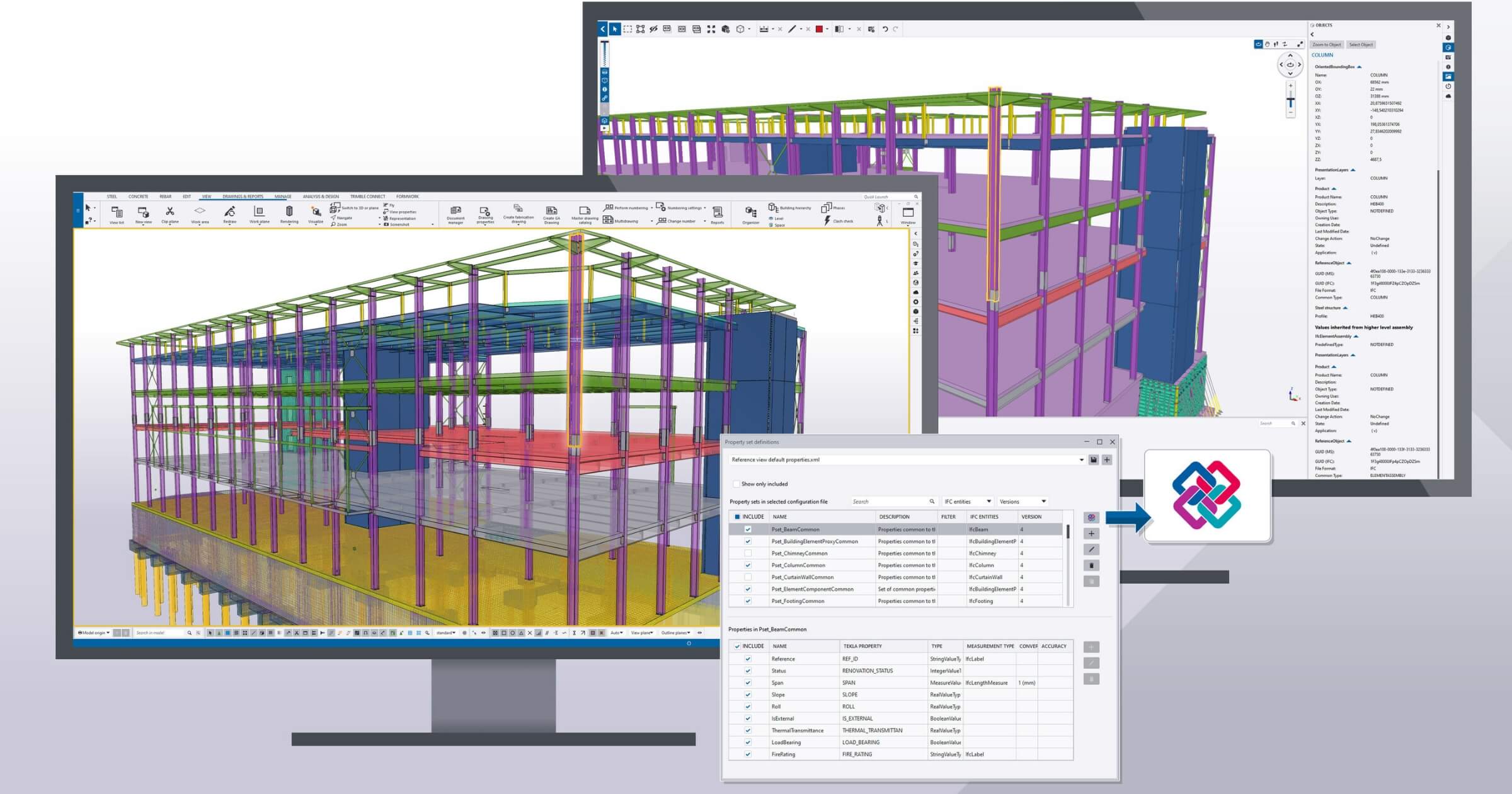
Tekla Structures is all about creating constructible models rather than conceptual ones. Many structural steel fabrication shops use it to get the details just right and produce accurate shop drawings that drive the actual production process. Meanwhile, the concrete planners use it for their rebar and reinforcement models so they can get the details right before they start laying it all in place. Having that level of detail means you can get a lot of work done in the factory rather than on-site, making your overall installation process much smoother.
Pros and cons
Pros:
- High-detail structural modeling
- Strong for fabrication workflows
- Accurate shop drawing generation
Cons:
- Specialized focus
- Limited architectural tools
5. Graphisoft Archicad: Best for architect-led BIM workflows
Overview and key features
Archicad does BIM modeling with an emphasis on giving architects the creative flexibility they crave. Its user interface is geared toward design-focused firms, yet still provides all the BIM coordination tools they need. The fact that it uses open BIM standards means it plays nicely with other engineering and contracting software. As a result, architects can appreciate the balance between getting into the nitty-gritty of a building model and still finding it easy to use—a winning combination, especially on mid-sized commercial projects where time and money are at a premium.
Pros and cons
Pros:
- User-friendly interface
- Open BIM compatibility
- Strong design flexibility
Cons:
- Less dominant among general contractors
- Structural detailing is less advanced than Tekla
6. Autodesk Construction Cloud: Best for cloud-based BIM collaboration
Overview and key features
Autodesk Construction Cloud ties BIM models into document management, issue tracking, and field coordination, enabling project teams to collaborate more smoothly. This also means teams on site can pop onto the tablet or mobile device and check out the latest model—a big help with avoiding version confusion and keeping everyone on the same page. It also helps track decisions and ensure everyone is accountable when coordinating across teams.
Pros and cons
Pros:
- Cloud access from anywhere
- Strong document control
- Integrates with Revit
Cons:
- Ongoing subscription costs
- Requires reliable internet access
7. Procore (with BIM integrations): Best for connecting BIM to field operations
Overview and key features
Procore brings BIM models to the heart of project management workflows, consolidating RFIs, submittals, schedules, and punch lists into a single place. Contractors find it useful to take the coordination models used during planning and bring them directly into day-to-day on-site activities. With mobile access, site crews can check models in the field, helping prevent misinterpretation of the drawings. And when used correctly, it makes it easy to tie model-based coordination back in with reporting and documentation processes.
Pros and cons
Pros:
- Strong field usability
- Integrates with major BIM tools
- Widely adopted by contractors
Cons:
- Not a standalone modeling platform
- Requires integration setup
8. Vectorworks Architect: Best for flexible modeling in small to mid-sized firms
Overview and key features
Vectorworks does BIM in a way that still lets you be creative with your designs. It’s perfect for architectural and landscape projects, and it even has a price tag that’s a bit more user-friendly than some of the bigger enterprise tools. Smaller outfits often find it a great option because it’s flexible in its modelling, and the learning curve is pretty manageable. Plus, it makes it easy to work with other consultants who might be using different platforms, since everything ties in nicely via open standards.
Pros and cons
Pros:
- Flexible modeling tools
- Cost-effective option
- Suitable for mid-sized projects
Cons:
- Smaller user base in large commercial markets
- Limited ecosystem compared to Autodesk
9. Revizto: Best for BIM-based issue tracking
Overview and key features
Revizto makes it easy to track issues in your BIM models, a major pain point for teams. Teams can go in and mark up clashes they find directly in the 3D model, and assign responsibility to specific people who need to sort it out. And because it integrates with all the major BIM platforms, everyone has access to up-to-the-minute updates. That means you can keep track of what’s going on and prevent minor problems from turning into big headaches when it’s time to get on site. For teams that struggle to get all their stakeholders on the same page, Revizto provides a clear process to follow.
Pros and cons
Pros:
- Clear issue tracking
- Multi-platform compatibility
- Improves coordination visibility
Cons:
- Requires modeling software integration
- Additional licensing costs
10. Synchro 4D: Best for schedule-driven BIM visualization
Overview and key features
Synchro 4D is designed to help teams make sense of their project schedule by linking it up with their BIM model. This creates a time-based simulation of how the project will unfold, which is really useful for contractors who want to determine the best way to sequence their work and test different construction phasing strategies. Contractors can see exactly how site logistics will work out before they even break ground. The best part is that people tend to get this kind of visual representation of a project much more easily than a traditional schedule. So it really helps with getting project buy-in and planning spot on.
Pros and cons
Pros:
- Strong 4D scheduling visualization
- Useful for phased construction
- Improves stakeholder communication
Cons:
- Learning curve
- Dependent on accurate schedule data
How to choose the best BIM software for your business
Feature fit
Find the perfect match for your daily workflow. Building contractors tend to use Tekla. General contractors who do a lot of coordination work often use Navisworks. Field teams, meanwhile, should have a look at how Autodesk Construction Cloud or Procore integrates with their existing tools. Picking the one that fits your workflow best is key.
Scalability and integrations
Think about how your chosen platform integrates with the other important systems in your business—accounting, estimating, and scheduling—because reducing duplicate data entry is a major time-saver. Don’t choose a platform that can’t handle your project load, or you’ll find yourself juggling too much. The BIM software that fits your team’s rhythm is the one that’s going to pay off, with fewer snags and better planning.
Ease of use and onboarding
Adoption drives return on investment. Some platforms require dedicated BIM managers or extensive training. Smaller firms may prefer tools with smaller learning curves and strong vendor support communities.
FAQs
Is BIM software suitable for small contractors?
Yes. Smaller contractors benefit from improved coordination and quantity accuracy, especially when collaborating with BIM-enabled design teams.
Do I need experience to use BIM software?
Most platforms require training but many vendors provide tutorials and certification programs to support adoption.
Does BIM software include mobile access?
Cloud-based platforms provide mobile apps for viewing models, drawings, and issue tracking directly on site.
Can BIM software integrate with estimating tools?
Many platforms export quantity data that integrates with estimating systems. Compatibility varies by vendor.
Is BIM required for public projects?
Some government and infrastructure projects mandate the use of BIM. Requirements depend on jurisdiction and project type.
What is the difference between BIM and CAD?
CAD focuses on drafting geometry, while BIM creates data-rich 3D models that support coordination, scheduling, and quantity analysis.
If you want more construction technology breakdowns and practical guidance, subscribe to the Under the Hard Hat newsletter. We cover the tools shaping how modern construction teams build smarter.